
Photo filters and effects
Photo filters and effects that make your feed match.
Film looks, moody color and texture effects, built into the same editor as your templates, text and stickers. Try a filter on your own photo in seconds.
- Film looks
- Moody tones
- Textures
- Free basic filters
- Works in your browser
4.8 stars on the App Store · Available on iOS & Android
What are photo filters and effects
Filters change a photo’s color and mood in one tap, and effects add texture on top.
Zaps has film-inspired and vintage filters, textures and overlays you can apply to a photo, then keep editing with text, stickers and frames. Basic filters are on the Free plan. Upload a photo in the web editor and it opens on the Filters tab.
Best for
Photo edits, stories, collages, carousels
Looks
Film, vintage, moody, textures
Where
Web editor, iOS and Android
Price
Basic filters are free
The consistency problem
Good photos still clash when each one has its own color.
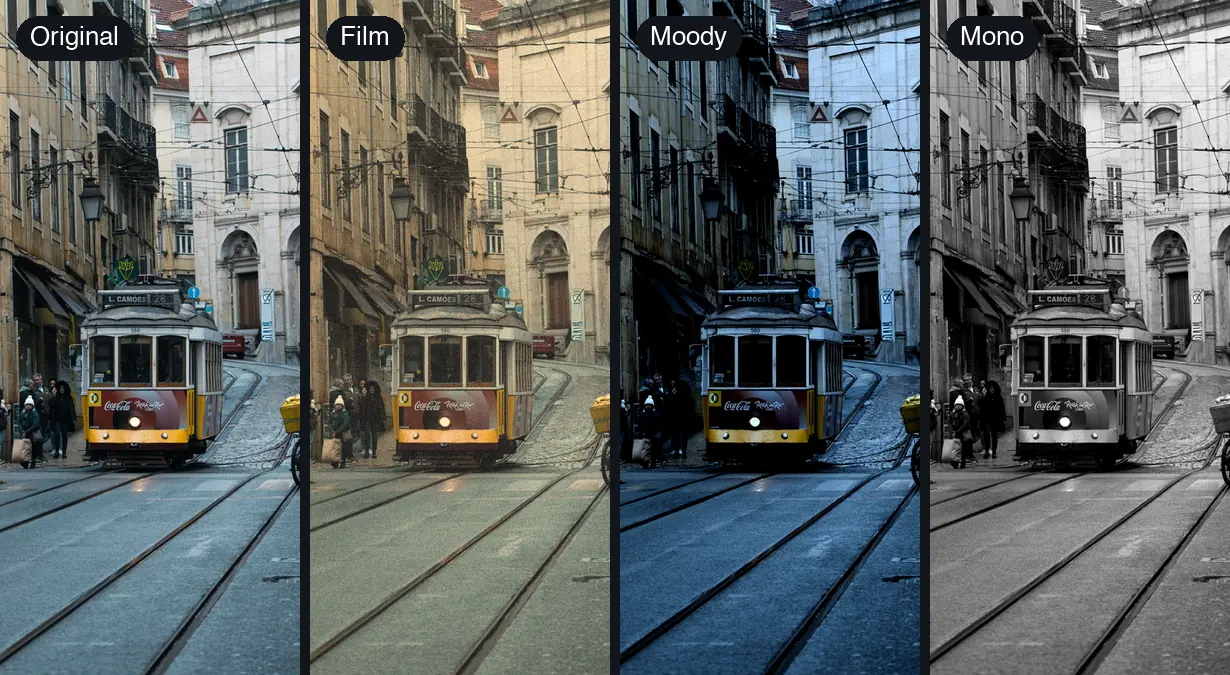
Filters
Change the mood of a photo in one tap.
Pick a filter, see it on your photo, keep it or swap it. Warm film and cool, moody color give the same photo two different feelings.
- Film-inspired and vintage looks
- Moody and aesthetic color styles
- Basic filters on the Free plan
- Opens straight from the web editor
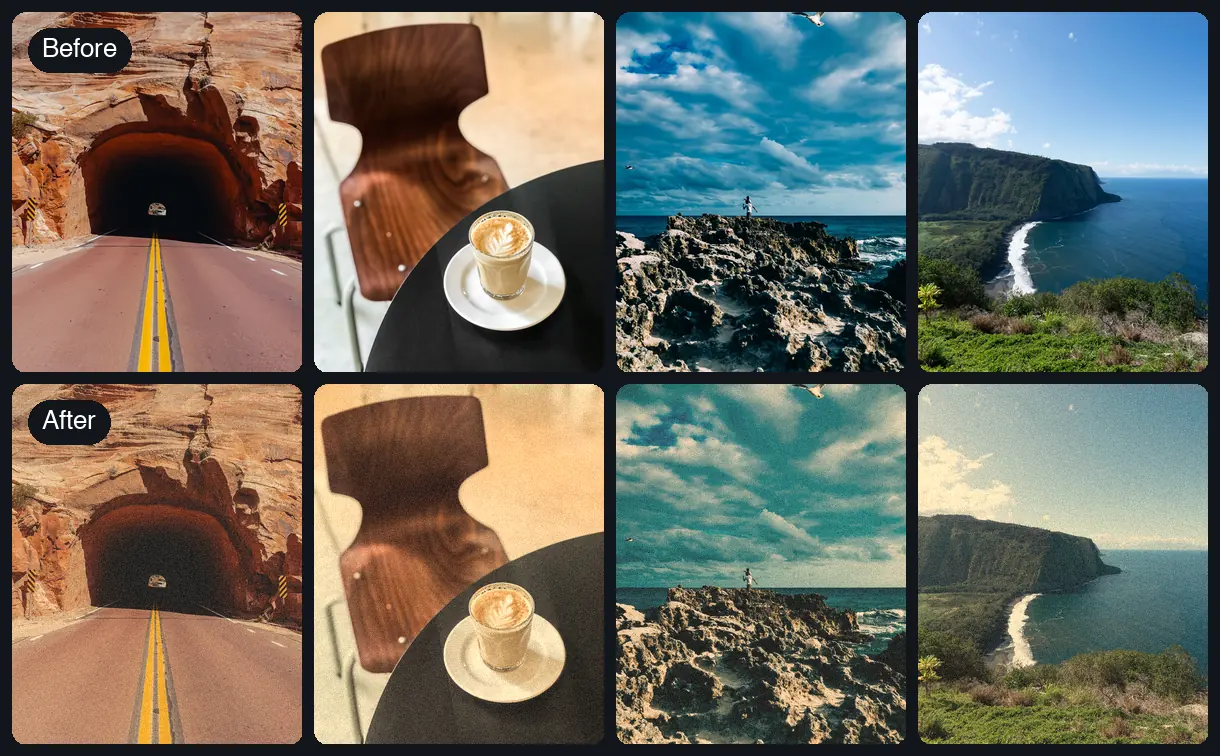
Consistency
Give a mixed set of photos one look.
Apply the same filter to each photo and different light and different places start to read as one set. Do it before you build the story, carousel or collage.
- Apply the same filter to every photo in a set
- Edit first, then build the layout
- Fix the odd one out with AI Enhance (Pro)
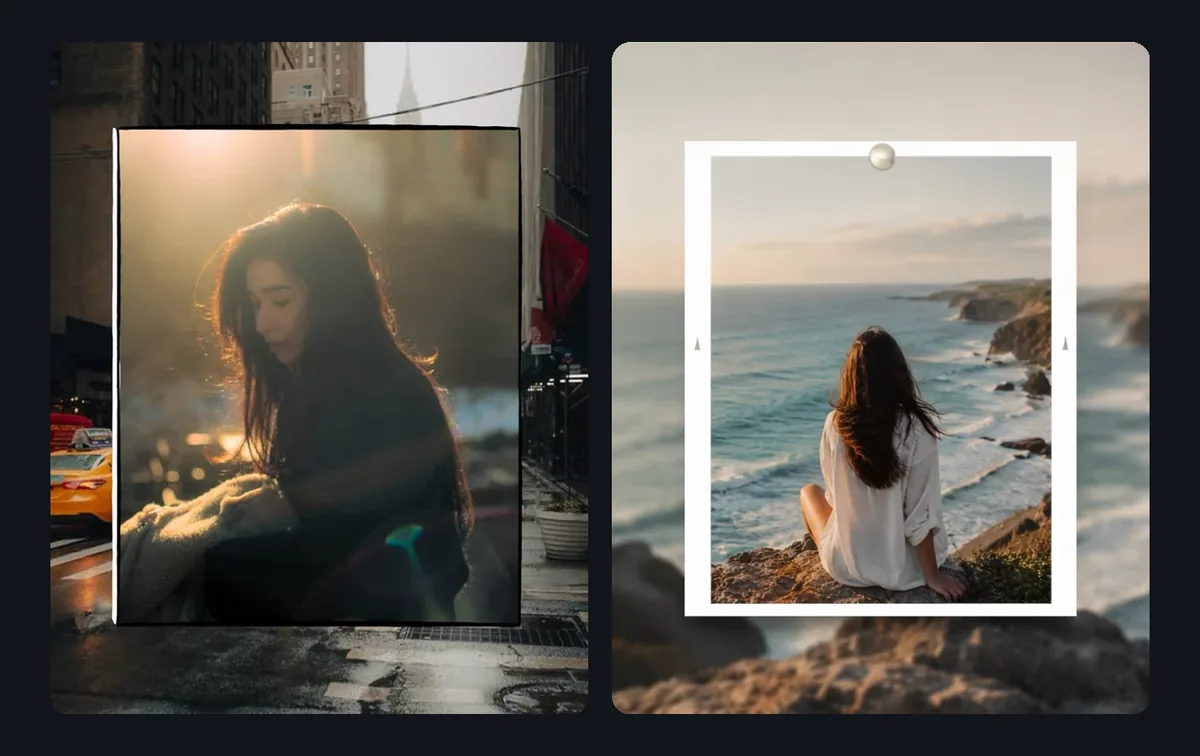
Textures and frames
Add grain, texture and frames for a film feel.
Textures add surface detail that a color filter alone leaves out, and frames give a photo a border. Both sit in the editor next to the filters.
- Textures and overlays
- Film-style frames
- Pairs with any filter
- Premium frames come with Pro
Edit and design together
Filter, caption, post.
Once the photo has its look, add text, stickers and frames in the same editor and export it for a story, a feed post or a TikTok slide.
- Fonts and stickers
- Templates for stories, carousels and reels
- Export sized for Instagram and TikTok
Use cases
One look, every kind of photo.
A consistent feed
Pick one look and give every post the same color mood.
Travel photos
Bring a week of different light and places into one set.
Portraits
Warm or soften skin tones and backgrounds for profile and creator shots.
Product shots
Give product photos the same color treatment as your brand posts.
Event photos
Even out indoor, evening and flash lighting from one night.
Photo dumps
Match a pile of camera roll photos before they go into a carousel.
How it works
Add a filter in four steps.
1
Upload a photo
Open the filters editor and choose a photo from your device.
2
Pick a filter
Try a few looks on your photo and keep the one that fits.
3
Add texture or a frame
Layer a texture or a border for more character.
4
Add text and export
Drop in a caption or stickers, then save it for your story or post.
Why Zaps
More than a filter and a save button.
Filter-only apps
- Edit one photo at a time
- Export, then switch apps to add text
- No templates or layouts to put the photo in
- A separate app for every extra step
Zaps Filters & Effects
- Film, vintage and moody looks
- Textures and frames in the same editor
- Text, fonts and stickers on top
- Templates for stories, carousels, reels and collages
- AI photo tools on Pro
- Works in your browser and in the iOS and Android app
More from Zaps
Keep building with Zaps.
What people say
Loved by people with a distinct aesthetic.
"The filters make my photos and videos feel like they belong together. My feed finally looks consistent."
@feedgoals.daily
"I love the film-style effects and overlays. They make simple camera roll photos feel more intentional."
@analog.vibes.ig
"I like that I can edit, design and post from one app instead of exporting between a filter app and a design app."
@createwithstyle
Frequently asked questions
It depends on your feed. Warm film looks suit travel and lifestyle posts, moody tones suit portraits and city shots. Pick one look and apply it to every photo so the feed reads as a set.
Basic filters are on the Free plan. Pro ($49.99/year or $5.99/week) adds premium fonts, stickers and frames, AI photo tools and watermark-free HD exports.
Open the Zaps filters editor, upload a photo, tap a filter to preview it and keep the one you like. You can then add text, stickers or a frame and export.
Yes. Zaps includes film-inspired and vintage-style filters, plus textures and overlays that add grain and character.
Yes. Apply the same filter to each photo in a story, carousel or collage and they will match.
Yes. The filters live in the same editor as fonts, stickers and frames, so you can finish a design without exporting in between.
Zaps pairs filters and effects with templates, collages, carousels, fonts, stickers and AI tools in one editor. If you only want a dedicated preset app, those tools focus there; Zaps is for finishing the whole post.
Find your look, then post it.
Upload a photo, try a filter and keep editing in the same place.