
Magic Eraser
Remove unwanted objects from your photos.
Brush over a stranger, a sign or a power line and AI fills in the space. Magic Eraser is coming soon to the Zaps web editor, and it is in the Zaps app on iPhone and Android today.
- Remove people
- Remove objects
- Clean up clutter
- Product photos
- Coming soon on web
Coming soon to the Zaps web editor. In the Zaps app on iPhone and Android now.
What is a magic eraser
A magic eraser removes unwanted objects or people from a photo and fills in what was behind them.
In Zaps you brush over the thing you want gone and AI fills the area to match its surroundings. It suits photobombers, signs, wires, trash cans and background clutter. Magic Eraser is coming soon to the web editor and is in the Zaps app today.
Removes
People, objects, signs, clutter
How
Brush over it, AI fills the gap
Web editor
Coming soon
Zaps app
iPhone and Android
Why people search for this
One distraction can spoil a good photo.

Object removal
Brush it away.
Paint over the object or person you want removed and AI generates new pixels to match the area around it. There is no clone stamp to aim and no mask to refine.
- Remove people, signs and small objects
- Brush only the part you want gone
- AI fills the space to match its surroundings
- Use the cleaned photo in any Zaps design

Busy backgrounds
Thin out the crowd.
Travel and event photos rarely come with an empty frame. Remove the strangers who walked into the shot so the landmark and your subject get the attention.
- Remove passersby from travel photos
- Clean up party and event shots
- Works best when the people are small against a clear background

Wires, signs and clutter
Clear the lines across the sky.
Overhead cables, street signs and bins pull the eye away from the scene. Erase the small things that do not belong and keep the framing you chose.
- Remove wires and cables
- Erase signs and bins
- Fix a stray mark on a product shot
- Keep your original crop
Landscapes and portraits
Keep the moment, lose the extras.
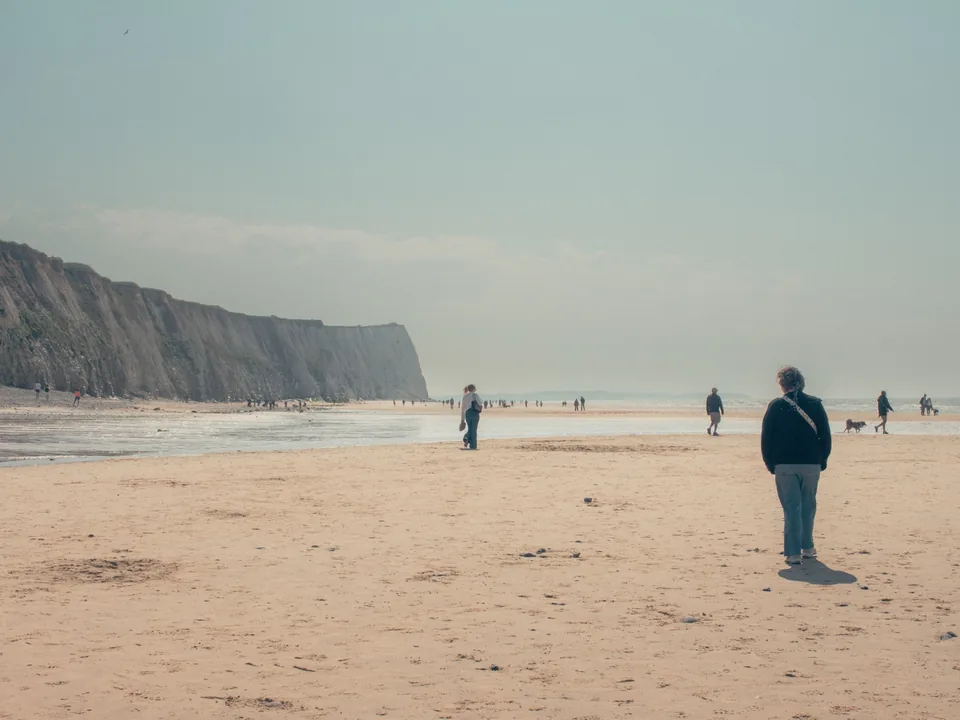
A walker far down the beach or a bag on the sand can break a quiet scene. Brush it out and keep the mood of the photo.
- Quiet landscape photos
- Portraits with an object near the subject
- Small distractions near the edge of the frame
What to expect
The fill is a best guess.
AI fills the gap with what it predicts belongs there. Large objects, detailed textures, reflections and overlapping subjects are harder, and some photos need a second pass with a smaller brush.
- Work in small passes on complex areas
- Remove one thing at a time
- Zoom in to check the fill
Use cases
Cleaner photos for what you post.
Travel photos
Remove strangers, signs and wires from a scenic shot.
Product photos
Erase clutter, marks and stray objects before a listing or a promo.
Creator photos
Clear distractions from a selfie, a portrait or a thumbnail background.
Event photos
Tidy a party, wedding or concert photo before you share it.
Interiors
Take small objects and visual mess out of a room photo.
Social posts
Clean the image first, then drop it into a story, carousel or collage.
How it works in the Zaps app
Clean up a photo in four steps.
1
Choose a photo
Pick a photo with something in it you want gone.
2
Brush over it
Paint over the object or person.
3
Let AI fill the space
The area is filled to match what is around it.
4
Use it in a design
Add text, filters or a template, then export.
Why Zaps
A quick fix without a pro editor.
Pro retouching tools
- Powerful, with a steep learning curve
- Clone and healing tools take practice
- Heavy for a quick social fix
Zaps Magic Eraser
- Brush over it and AI fills the gap
- The cleaned photo goes straight into templates
- Pairs with AI Enhance and the background remover
- In the Zaps app today, coming soon to the web editor
More from Zaps
More tools for your photos.
Frequently asked questions
Magic Eraser is an AI tool that removes unwanted objects, people and clutter from a photo. You brush over the area and AI fills it to match the surroundings.
Not yet. It is coming soon to the Zaps web editor. Open the editor to see the details and what you can use now. Magic Eraser is available today in the Zaps app on iPhone and Android.
Yes. Brush over the person and AI fills in the background. It works best when the person is small against a simple, clear background.
Yes. Erase a stray cable, a mark or a cluttered corner before you use the photo in a listing, a promo or a carousel.
No. Large objects, detailed textures, reflections, shadows and overlapping subjects are harder to fill. Work in small passes and check the result by zooming in.
Photoshop is stronger for complex professional retouching. Magic Eraser is a simpler brush-and-fill tool for quick fixes to photos you plan to post.
The Zaps pricing page lists Magic Eraser as a paid feature, so you may be asked to choose a plan. Check the Pricing page for current plans.
Clean up the photo. Keep creating.
Magic Eraser is coming soon to the web editor. Open the editor to see what you can use today.